
If you’ve invested in Power BI dashboards and ERP reporting, and weren’t satisfied with the results, you’ve come to the right place.
One of our clients had very clean looking dashboards… and were still relying on Excel for most of their reporting process.
Let’s see why this happens and what can help you increase reporting efficiency while freeing up your team to focus more on strategy and analysis.
What Is ERP Reporting Efficiency (And Why Is It Still Low)?
ERP reporting efficiency is the ability to extract, analyse, and report on financial data directly from your systems without relying on manual workarounds.
Most of the finance teams that we have talked to are only halfway there…
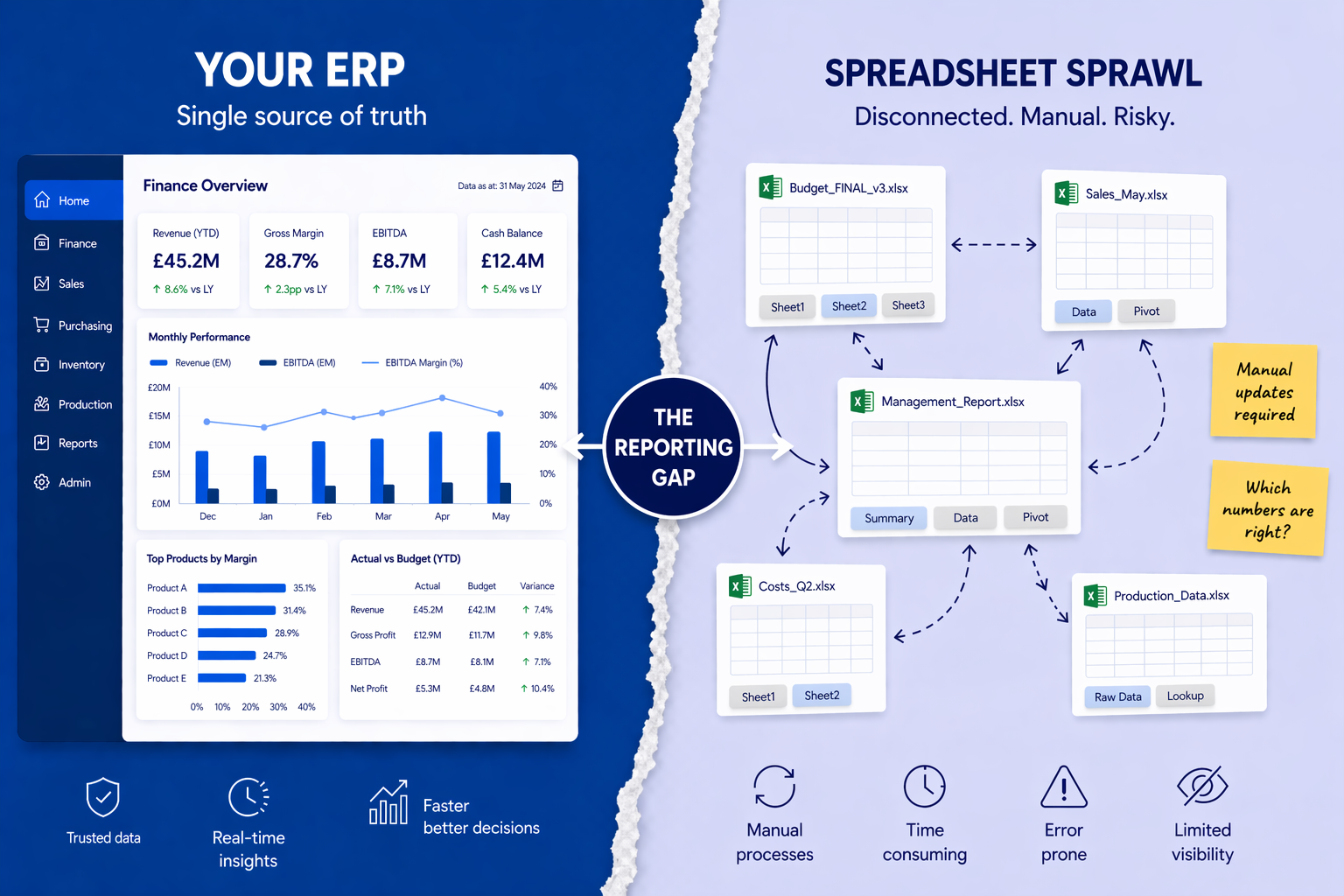
The ERP holds the data but Excel still holds the logic.
And that gap is where reporting efficiency breaks down.
Why Do Finance Teams Export ERP Data into Excel?
1. How do ERP limitations impact ERP reporting efficiency?
ERPs are great at recording transactions.
They’re not always great at:
- Flexible reporting
- Cross-entity analysis
- Custom financial views
So finance teams end up filling the gap themselves by exporting data and building logic manually.
And suddenly, reporting efficiency depends on spreadsheets not systems.
2. How do “temporary fixes” become permanent processes?
It usually starts small with a quick adjustment, mapping table, or a workaround for consolidation.
But you might’ve seen that these temporary fixes don’t stay temporary and instead become part of the process.
Over time, they may create a shadow reporting system outside your ERP, reducing reporting efficiency every month.
3. How does Excel dependency reduce ERP reporting efficiency?
Excel isn’t the issue… dependency is. When reporting relies on spreadsheets:
- Multiple versions exist
- Logic isn’t standardised
- Audit trails are weak
- Key-person risk increases
Even when your ERP is solid, your reporting efficiency is only as strong as your weakest spreadsheet.
What Does This Look Like in Real Life?
Example: The “Export and Fix” cycle
Some issues that we’ve seen over the years… a finance team exports trial balance data every month.
They:
- Adjust mappings manually
- Add missing data
- Reconcile differences
By the time reporting is complete, the final numbers don’t actually exist in the ERP anymore.
They exist in Excel and it kills reporting efficiency.
Why Does This Matter More in Manufacturing?
Manufacturing adds layers of complexity:
- Inventory movements
- Cost allocations
- Multiple entities
- Operational data
Your ERP may capture it all.
But if it can’t connect it cleanly for reporting, Excel steps in.
And yet again, reporting efficiency drops.
How Can You Improve ERP Reporting Efficiency?
1. How do you remove the spreadsheet layer?
You don’t need to eliminate Excel completely.
But you do need to remove it from:
- Core reporting logic
- Data transformation
- Consolidation processes
That’s where ERP reporting efficiency is lost.
2. How do you integrate your systems properly?
Instead of exporting data:
- Connect ERP, operational systems, and reporting tools
- Create automated data pipelines
- Standardise data structures
This restores reporting efficiency by keeping data in one flow.
3. How do you make reporting traceable?
Every number should be explainable, traceable, and consistent.
If you can’t trace a number without opening multiple spreadsheets, your reporting efficiency is already compromised.
Find more about ERP reporting best practices!
Key Takeaway
- Reporting efficiency depends on the way you actually use the ERP
- Excel dependency is the biggest hidden blocker
- Removing manual layers restores speed, control, and confidence
Quick Summary
ERP reporting efficiency refers to how effectively finance teams use ERP data for reporting without manual workarounds. It is reduced by Excel dependency, fragmented systems, and manual adjustments. Improving reporting efficiency requires system integration, automation, and removing spreadsheet-based reporting layers.
FAQs
Why do finance teams still use Excel with ERP systems?
Because ERPs often lack flexible reporting, leading teams to build manual workarounds.
Is Excel bad for finance reporting?
No, but relying on it for core reporting logic reduces ERP reporting efficiency.
How can ERP reporting efficiency be improved?
By integrating systems, automating data flows, and removing manual adjustments.