
Many of the finance teams that we’ve worked with have been working with a shadow system.
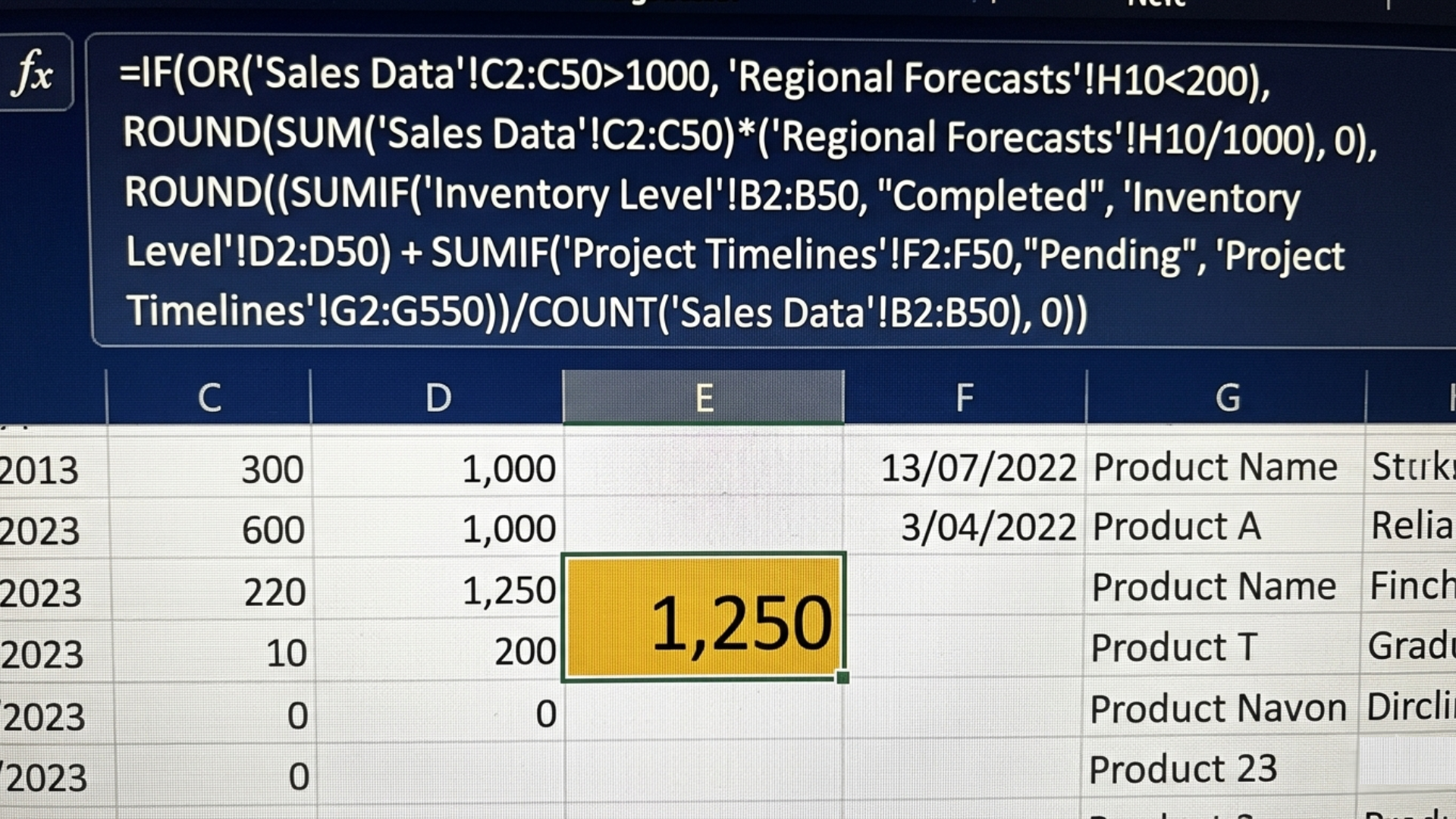
What this system usually is? An excel spreadsheet with hard coded cells, data being manually entered, age old formulas that are too heavy and confusing.
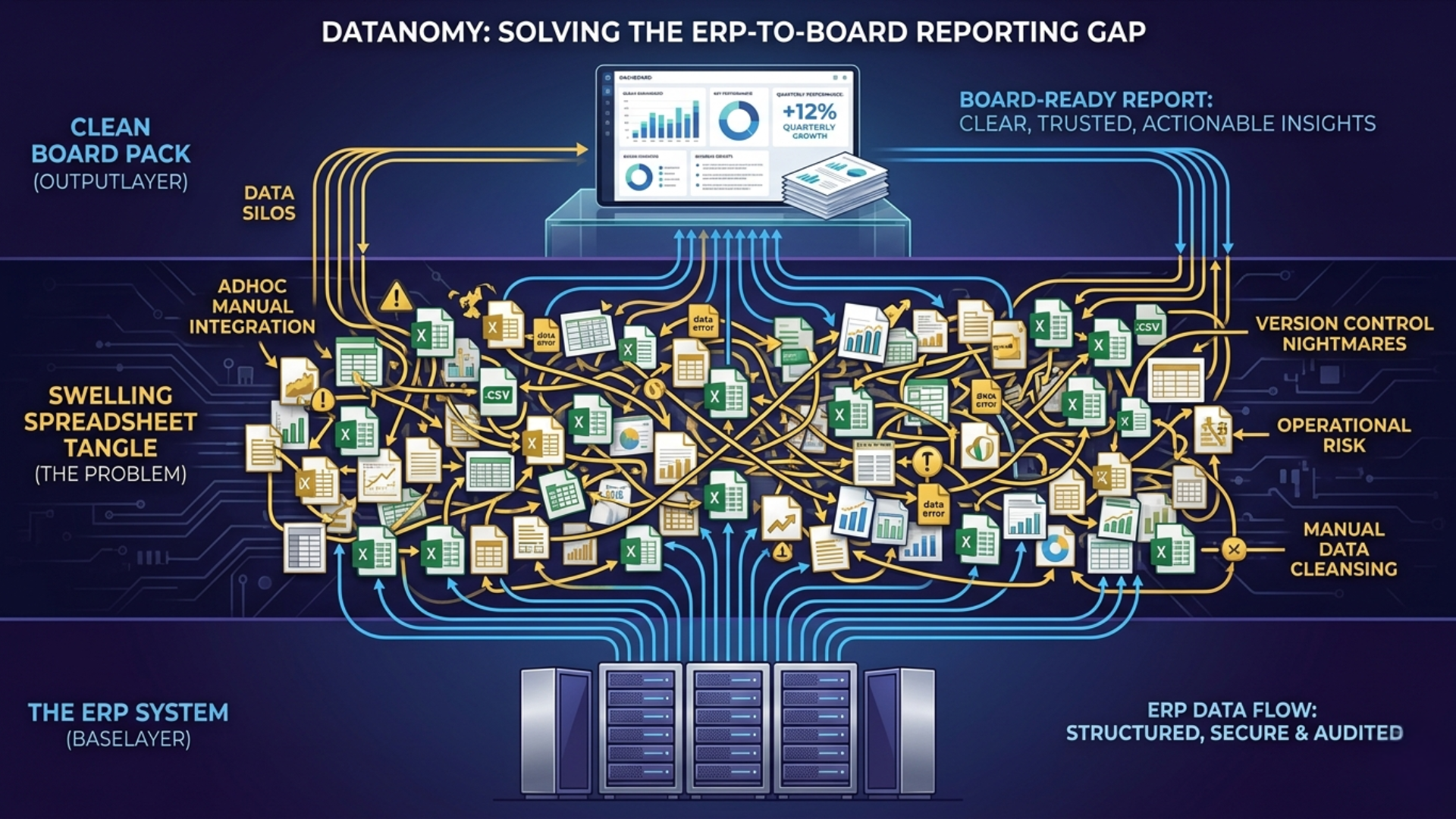
This confusing spreadsheet sitting quietly between the ERP system and the board pack, leads to long hours spent on manually validation of numbers.
It has probably never been reviewed by IT. But if that spreadsheet disappeared tomorrow morning, reporting would stop.
That hidden reporting infrastructure is what many finance leaders now refer to as the Excel layer.
The Excel layer is the unofficial reporting system finance teams build when the ERP cannot fully support the level of reporting, consolidation, analysis, and flexibility the business actually needs.
And in manufacturing finance, it becomes surprisingly common.
Because while ERP systems are designed to process transactions, finance teams still need to explain:
- FX fluctuations
- Intercompany movements
- Margin shifts
- Inventory valuation changes
- Cost allocations
- Multi-entity consolidation
- Forecast variances
- Commodity cost impacts
For many Finance Directors, the uncomfortable truth is this:
The board pack may technically come from the ERP. But the logic behind the numbers often lives somewhere else entirely.
How Does the Excel Layer Start?
You might agree that the Excel layer rarely appears because a finance team wants it.
You might need it because a controller creates a temporary mapping table. A financial accountant builds a consolidation workbook. A management accountant creates a margin bridge the ERP cannot calculate cleanly. A new acquisition introduces another chart of accounts. Someone builds a workaround.
Every single step makes sense at the time.
But soon, one spreadsheet becomes five. Five become twenty. Before long:
- Month-end reporting depends on offline workbooks
- Key calculations sit inside nested formulas
- Different entities use different logic
- Manual reconciliations become normal
Nobody fully understands every dependency anymore.
Suddenly, finance is no longer reporting from the ERP.
And in the best-case scenario where you find all errors in reporting, your team will have still wasted many hours that could’ve been spent on analysis instead of combing through the excel sheet that takes 15 minutes to simply load (when it doesn’t crash).
Why Do Manufacturing Finance Teams Rely So Heavily on Excel?
As you know, manufacturing finance complexity is rarely linear.
Unlike simpler service-based organisations, manufacturing businesses deal with layered operational and financial complexity that standard ERP reporting often struggles to explain clearly.
Think about the realities finance teams face:
1. Multi-Entity Reporting
A UK manufacturer acquires two overseas entities.
One runs SAP. Another runs Microsoft Dynamics 365 Business Central. The parent business uses NetSuite.
Now finance must produce:
- Consolidated reporting
- FX-adjusted margin analysis
- Intercompany elimination
- Standardised board reporting
The ERP systems can hold the transactions. But the reporting logic between them often gets handled manually.
Which means the Excel layer grows.
2. Inventory and Costing Complexity
Inventory valuation creates another common pressure point.
For example:
Raw material prices increase sharply during the quarter. Inventory produced in January is sold in April. Commodity costs changed significantly during that time.
Now the CFO asks:
“Is the margin reduction operational, or commodity-driven?”
That answer rarely exists neatly inside a standard ERP report.
So finance teams build offline analysis.
Again, the Excel layer expands.
3. Intercompany Reporting
Intercompany reconciliation is another major contributor.
Many manufacturing groups still rely on:
- Manual matching
- Spreadsheet-based eliminations
- Offline journals
- Email approvals
- Shared-drive reporting files
Over time, these temporary fixes stop feeling temporary.
And in the best-case scenario where you find all errors in reporting, your team will have still wasted many hours that could’ve been spent on analysis instead of combing through the excel sheet that takes 15 minutes to simply load (when it doesn’t crash).
Check out our blog on How to save 100+ hrs every year!
Why Is the Excel Layer So Risky?
Just so we’re on the same page, this doesn’t mean that using Excel is wrong.
The real problem is when critical financial logic exists only inside fragile manual processes which creates several serious issues.
Key-Person Risk
Many finance teams quietly depend on one person.
The person who remembers which adjustment gets reversed every quarter.
If that person leaves?
Reporting slows down immediately. That is institutional memory disguised as process.
Version Chaos
Most finance leaders recognise this instantly:
- Final_Report_v2.xlsx
- FINAL_v4_UPDATED.xlsx
- Final_FINAL2_JR.xlsx
At some point, the reporting process becomes less about analysis and more about trying to confirm which version is correct.
And when board-level decisions rely on those files, confidence starts eroding.
Lack of Traceability
One of the biggest problems that we’ve come across with the Excel layer is that drill-down often stops.
The dashboard shows a number. But tracing that number back to source transactions becomes painfully manual.
Which creates dangerous boardroom moments.
A CFO presents margin performance. Someone asks:
“Why did this move?”
The answer should take seconds.
Instead, finance teams spend hours reopening files, checking formulas, and validating adjustments.
That hesitation damages confidence faster than most leaders realise.
How Can Finance Leaders Tell If the Excel Layer Has Become a Problem?
Here are some of the clearest warning signs:
Your Month-End Close Still Feels Manual
1. If your finance teams still spend days:
- Validating spreadsheets
- Rebuilding logic
- Reconciling exports
- Updating mapping tables
then the Excel layer is probably driving reporting.
2. Reporting Depends on Individual Knowledge
3. If only one or two people fully understand the reporting process, risk is already high.
The ERP Cannot Answer Board-Level Questions Quickly
If every leadership question requires offline analysis, the reporting layer is disconnected from the transactional layer.
Finance Teams Spend More Time Preparing Data Than Analysing It
This is one of the clearest signals.
High-performing finance teams should spend more time explaining performance than assembling reports.
How Do Leading Manufacturing Finance Teams Reduce Excel Dependency?
The strongest finance functions do not necessarily eliminate Excel.
They eliminate dependency on Excel, but it still has value for:
- Scenario modelling
- Ad hoc analysis
- Financial planning
- Forecast testing
But it should not be the hidden infrastructure behind board reporting.
Leading manufacturers usually focus on:
Centralised Reporting Logic
Instead of calculations living inside disconnected spreadsheets, logic moves into governed reporting environments.
Automated Consolidation
Intercompany eliminations, mappings, and entity reporting become standardised.
Drill-Down Traceability
Finance leaders can move directly from board pack to management report, and finally to transaction-level detail, without manually rebuilding the audit trail.
Transparent Data Governance
Everyone works from the same version of the truth.
Not multiple copies saved across shared drives.
What Happens When Finance Removes the Excel Layer?
The benefits go beyond faster reporting, with the real improvement being confidence.
With a reporting structure that is transparent, our clients stopped second-guessing numbers, their teams spend less time validating data, board conversations become sharper as forecasting improves, and finally month-end pressure reduces.
And perhaps most importantly, finance stops acting like a reporting factory.
It starts acting like a strategic decision-making function.
That shift is where real transformation happens.
FAQ: The Excel Layer in Manufacturing Finance
Why do finance teams still rely on Excel after ERP implementation?
Because ERP systems often solve transaction processing more effectively than reporting complexity. Finance teams still need flexibility around consolidation, allocations, and analysis.
Is Excel bad for finance reporting?
Not necessarily. Excel becomes risky when critical reporting logic depends entirely on manual files, undocumented formulas, and individual knowledge.
What causes spreadsheet dependency in manufacturing finance?
Common causes include multi-entity structures, acquisitions, intercompany reporting, inventory complexity, and reporting gaps after ERP migrations.
How can finance teams reduce manual reporting?
By introducing automated consolidation, governed reporting environments, integrated dashboards, and transparent drill-down reporting.
Why is traceability important in financial reporting?
Because finance leaders must explain not just what the numbers are, but how they were created.
Quick Summary
The Excel layer is the unofficial reporting system sitting between ERP data and board-level reporting.
Manufacturing finance complexity often drives spreadsheet dependency.
The biggest risks include key-person dependency, version chaos, and lack of traceability.
Leading finance teams reduce dependency by centralising reporting logic and automating consolidation.
The goal is not just faster reporting, it is confidence in the numbers.